How To Single Edit Or Mass Edit Items
Individually Edit An Item
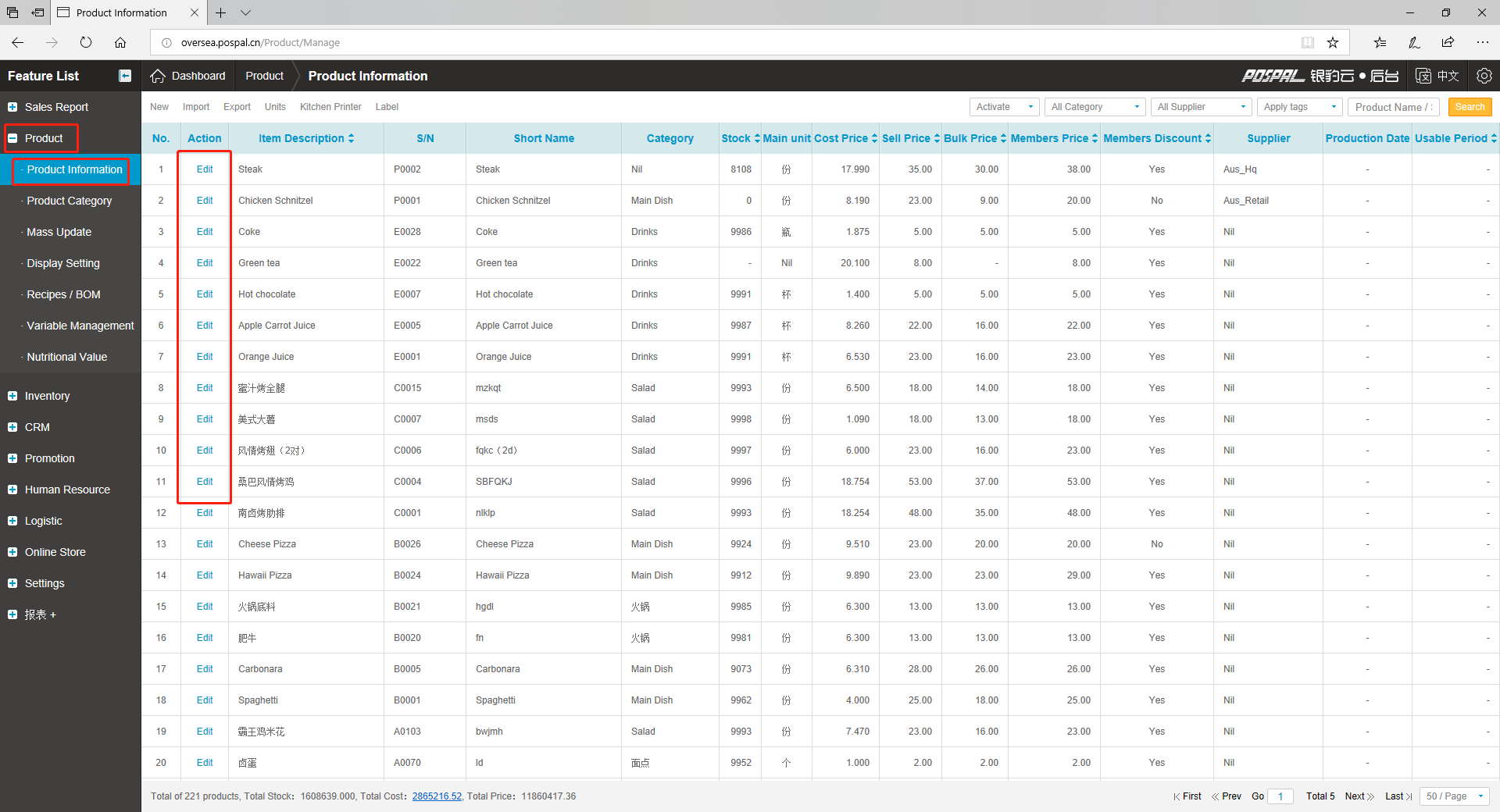
1. Access Product Information from Product Tab and click on “Edit” next to the item you wish to modify/edit.
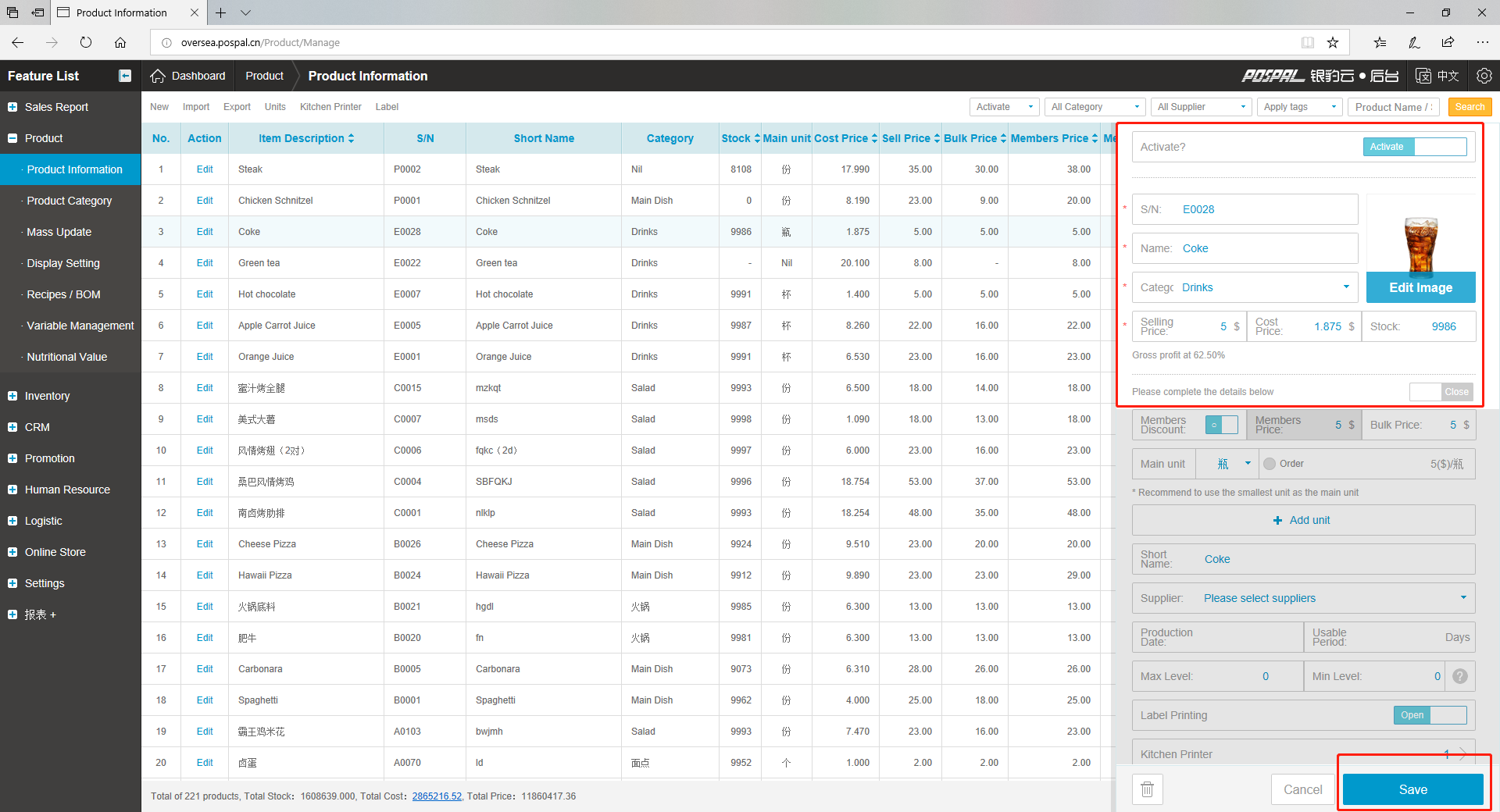
2. Make changes you wish to do such as Name, category, price or add an image to the product. Click “Save” at the bottom once you have finished to update the item.
How to edit item(s) in batch using mass update
You can modify multiple items at once by using the Mass Update section such as setting kitchen/label printing, mass category changes and many other settings.
1. Access Mass Update from Product Tab

2. Select items to apply mass update for, or use all
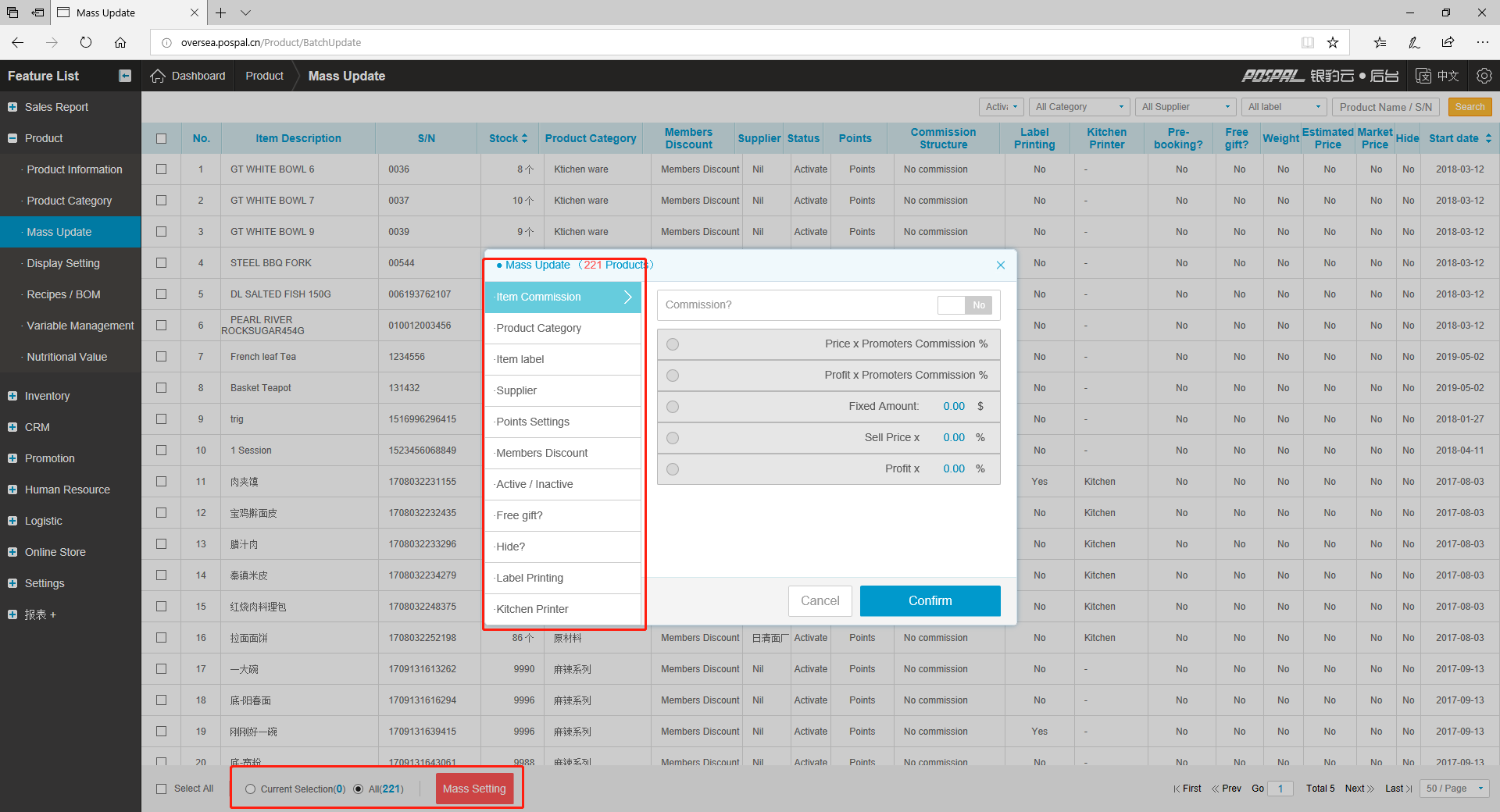
Option Definitions
- Item Commission : Commission setting for promoters
- Product Category : Change item(s) category
- Item Label : Assign or remove labels
- Supplier : Assign supplier
- Points Settings : Points accumulation for item(s)
- Members Discount : Discount settings for member
- Active / Inactive : Show or hide from frontend product listing
- Free gift? : Allow item to be given as a free gift 0$
- Hide? : Hide from backend product list
- Label Printing : Label Printing settings
- Kitchen Printer : Assign item(s) to kitchen printer
- Self Ordering : Hide item from Self-order system (only visible to POS terminal)
- Pre-booking : Set item to be able to use as appointment/booking
- Weighing Scale : Enable item to use scale for pricing
- Fix Price : Enable item fixed price, no discount under all conditions
- Market Price : Enable market price function
- Order Recommendation : Recommend item during ordering
- Remove item